Yes. The website labels it as a trial review and shows the verified usage time.
Guide · reviews
How to submit a review from ChainBreaker
A review is submitted directly from an activated installation. This lets the website display not only your feedback, but also the verified licence mode and actual time the program has been in use.
In this guide you will learn:
- where to find the review form in both trial and paid versions
- which details the server attaches to the review
- how confirmation and duplicate prevention work
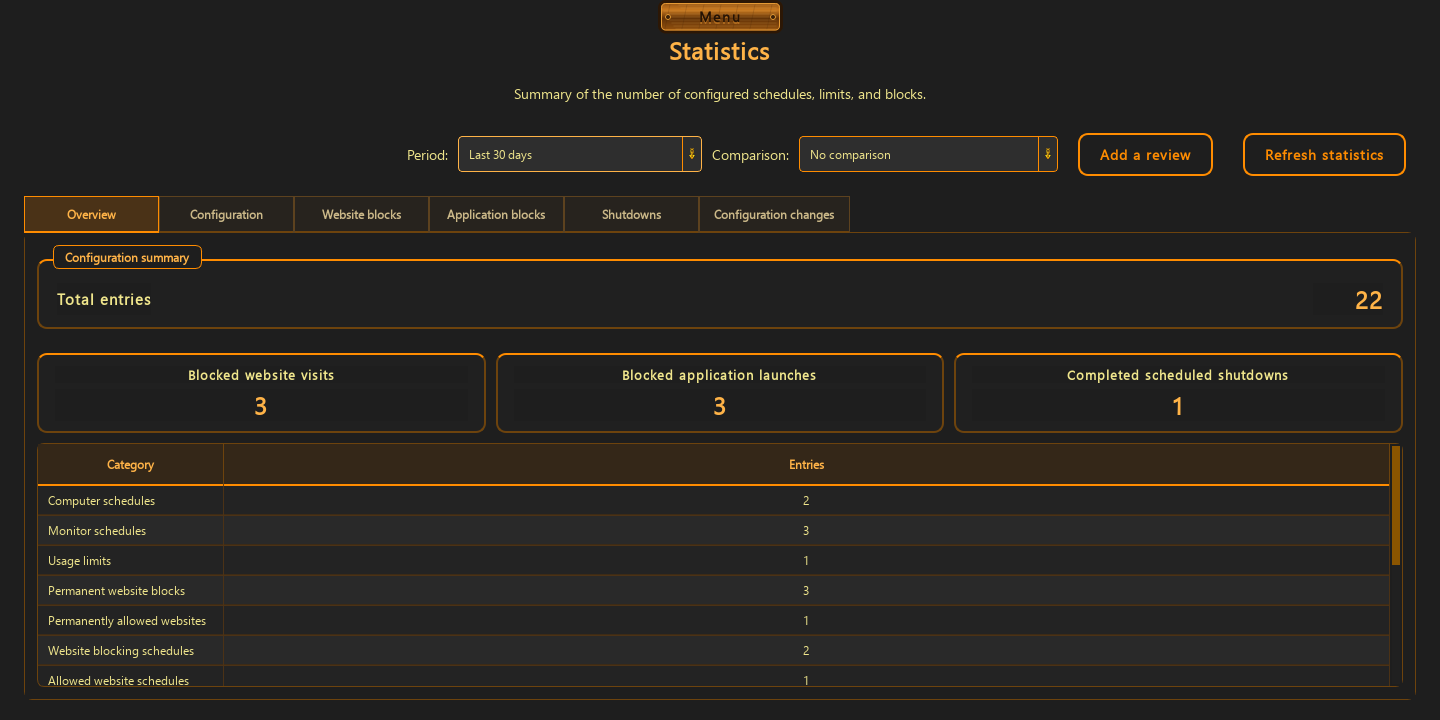
Where to open the review form
Open the main menu, go to Statistics, and select the add-review button. The same form is available in an active trial and the paid version. When the trial expires, it can also be opened from the expiry message.
- open Menu and then Statistics
- select Add review and enter between 20 and 5,000 characters
- check the text and explicitly confirm before sending it
What appears on the website
You provide only the review body. The installation ID, licence mode, time in use, operating system, region, and app version are derived and verified by the server from the activated installation.
- the review is labelled Trial or Paid version
- the website displays verified time since installation
- the MAC address, private TPM key, activation token, and configured rules are never published
Confirmation and one review per installation
Submitting requires a separate confirmation. Closing or cancelling the form publishes nothing. After a successful save, the app shows a confirmation, while the installation ID prevents the same installation from adding duplicate reviews.
- no confirmation means no submission
- success is shown only after the server responds
- one installation can publish one review
Good to know
Questions about the current version.
The review must contain between 20 and 5,000 characters, allowing useful detail while keeping reviews readable.
No. Private TPM keys, tokens, MAC addresses, and rule configuration are not included in a public review.
Guide · reviews
Want to read feedback from activated installations?
See reviews whose licence mode and usage time are verified by the server.
View reviews