Yes—until you confirm the warning. Once stored, the instance is permanent and its regular edit, delete, and state controls are locked.
Guide · commitments
Cementing commitments and paid release
Cementing gives lasting force to one exact rule: a schedule, limit, website block, or application block. From that point, an impulse cannot rewrite it. Release remains possible, but only as a separate, deliberate decision confirmed by payment.
This guide explains:
- how to select and cement one exact rule instance
- which actions become unavailable and why an app update does not reset the decision
- how regional pricing, Stripe, and payment-confirmed release work
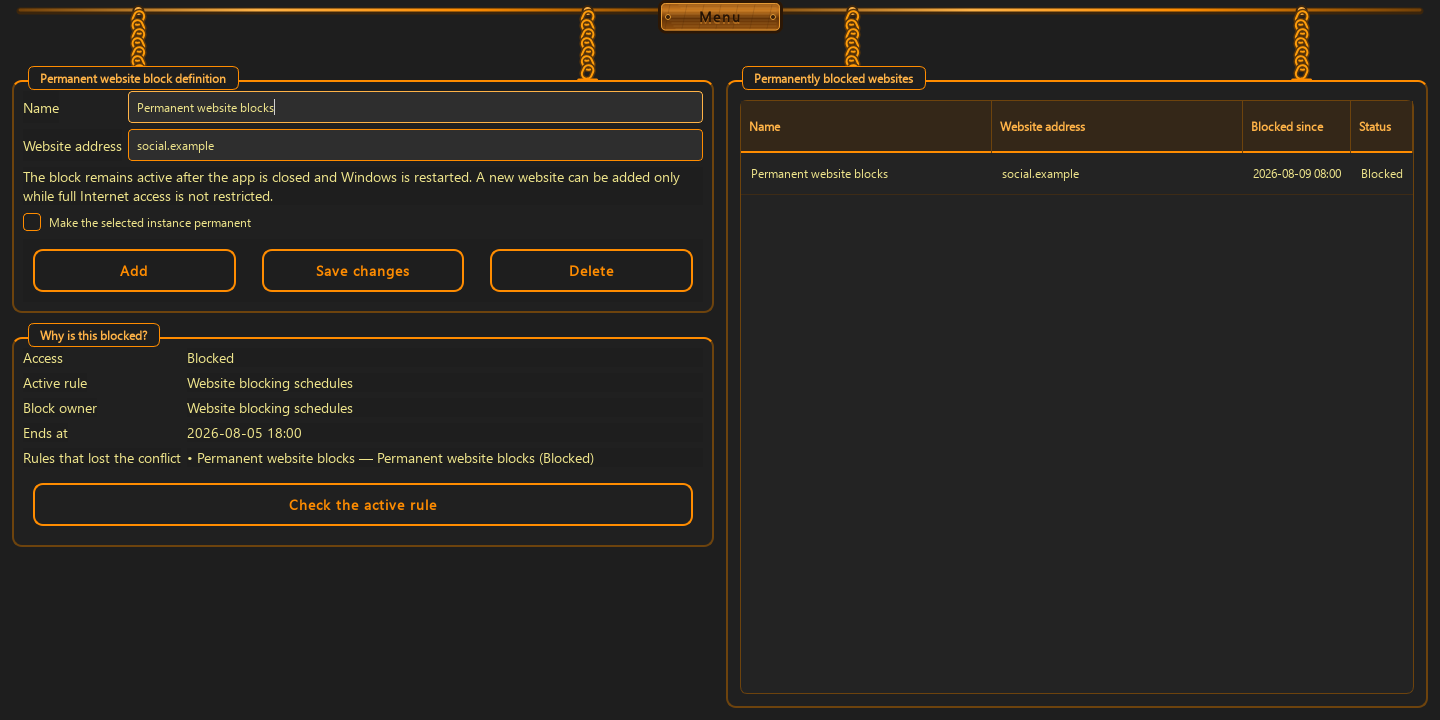
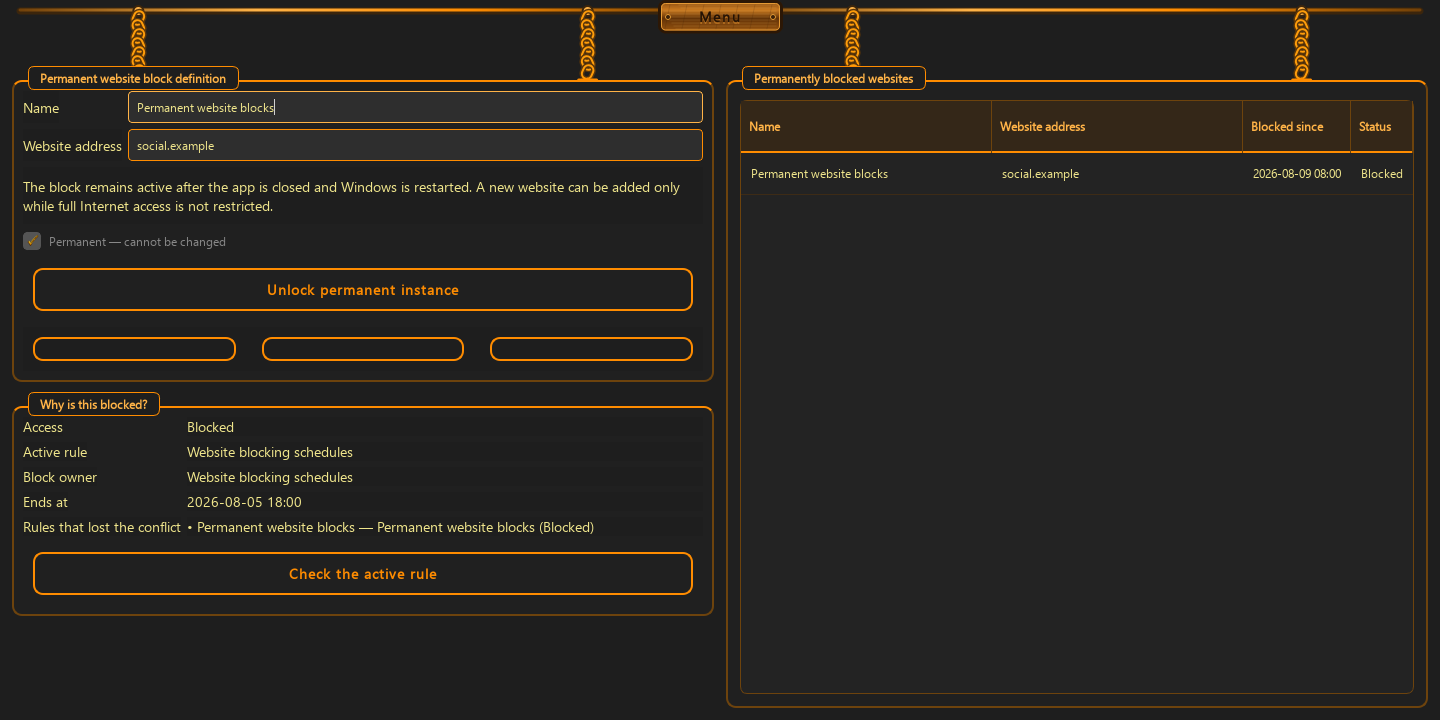
1. Select the exact commitment that should guard itself
First select an existing row. It can be a computer or display schedule, usage limit, website block, or application block. The permanent toggle applies only to that record—not to the entire menu or your other rules.
- each instance is identified by its category and unique identifier
- the decision is stored for this installation identifier
- sending the same instance again does not create a duplicate
2. Confirm only after reading the warning
ChainBreaker shows a confirmation dialog when you enable the toggle. You can cancel and return without changes. After confirmation, the instance is stored as permanent and its fields and management actions become unavailable.
- it cannot be edited or deleted
- it cannot be disabled, re-enabled, or bypassed through the form
- the decision survives Windows restarts and application updates on the same computer
3. Release begins with another deliberate decision
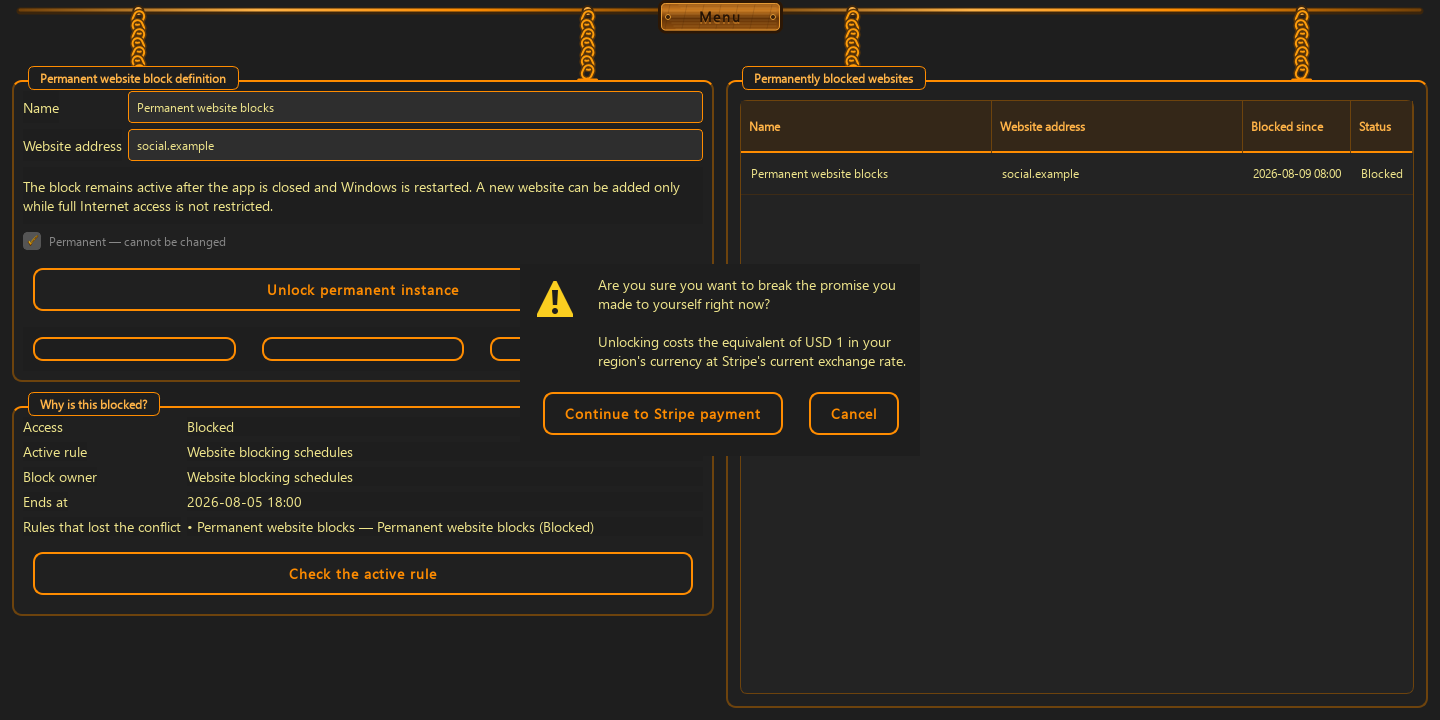
The release button appears for the permanent instance. Before opening payment, the app asks whether you truly want to break the promise you made to yourself right now. Closing the dialog abandons the attempt and unlocks nothing.
- the app shows the exact amount in your regional currency before Stripe opens
- the amount reflects the configured micro-payment at the current conversion
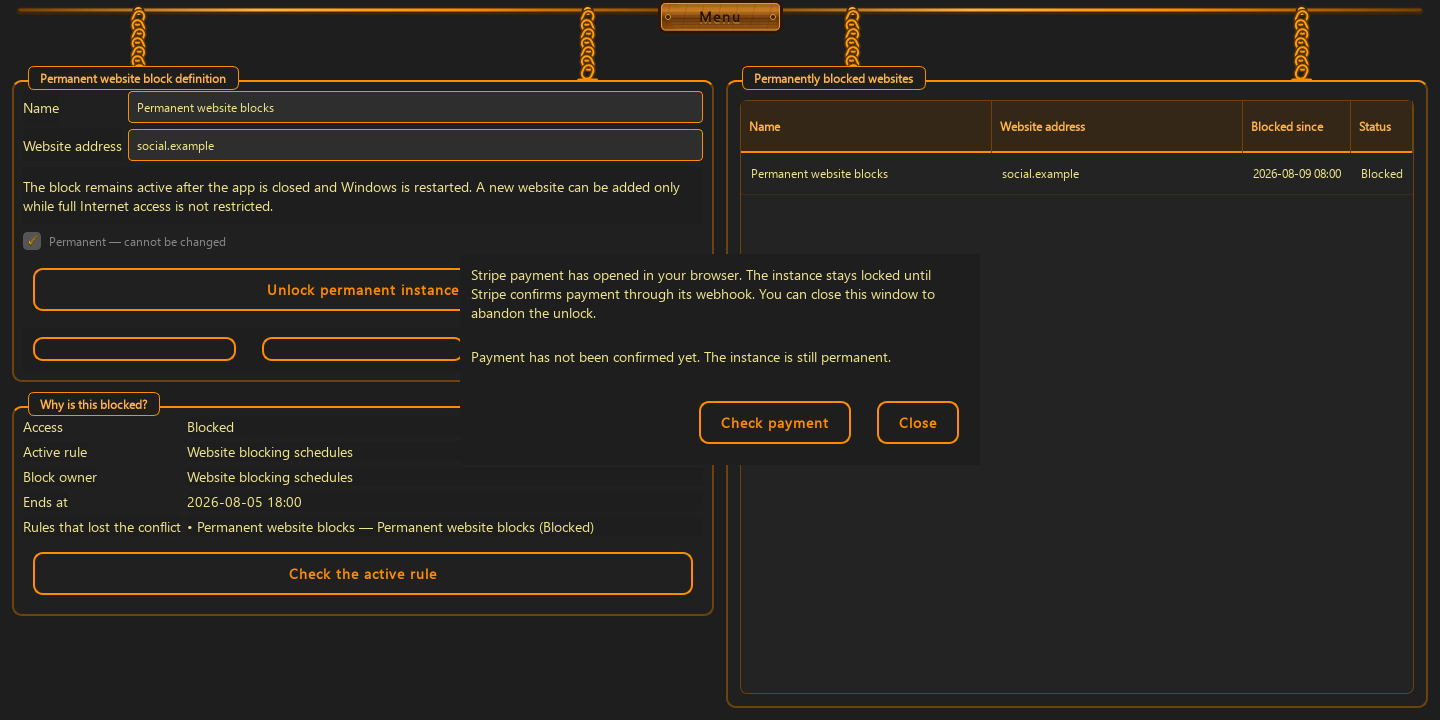
- Stripe opens in the browser while the instance remains permanent
4. Only confirmed payment releases that one instance
Returning from the browser or merely creating a checkout session is not enough. ChainBreaker checks payment status, and the server releases the rule only after Stripe confirmation. Success applies solely to the paid instance identifier.
- no payment, no connection, or a status error leaves the rule unchanged
- other permanent commitments remain locked
- this is a one-time micro-payment, not a subscription or automatic charge
Good to know
Questions about the current version.
No. On the same computer, the app restores state associated with the installation identifier, so updating does not create a free bypass.
Only after the server receives Stripe payment confirmation and the app verifies its status. Merely opening or closing checkout releases nothing.
No. Only the one exact, identified, and paid instance is released.
Guide · commitments
Make the decision while you are calm.
Cementing is not meant as punishment. It protects an earlier decision from fatigue, impulse, or bargaining with yourself.
Back to the homepage