No. Event and change data remains local to the computer.
Guide · local statistics
Rule activity statistics without uploading data
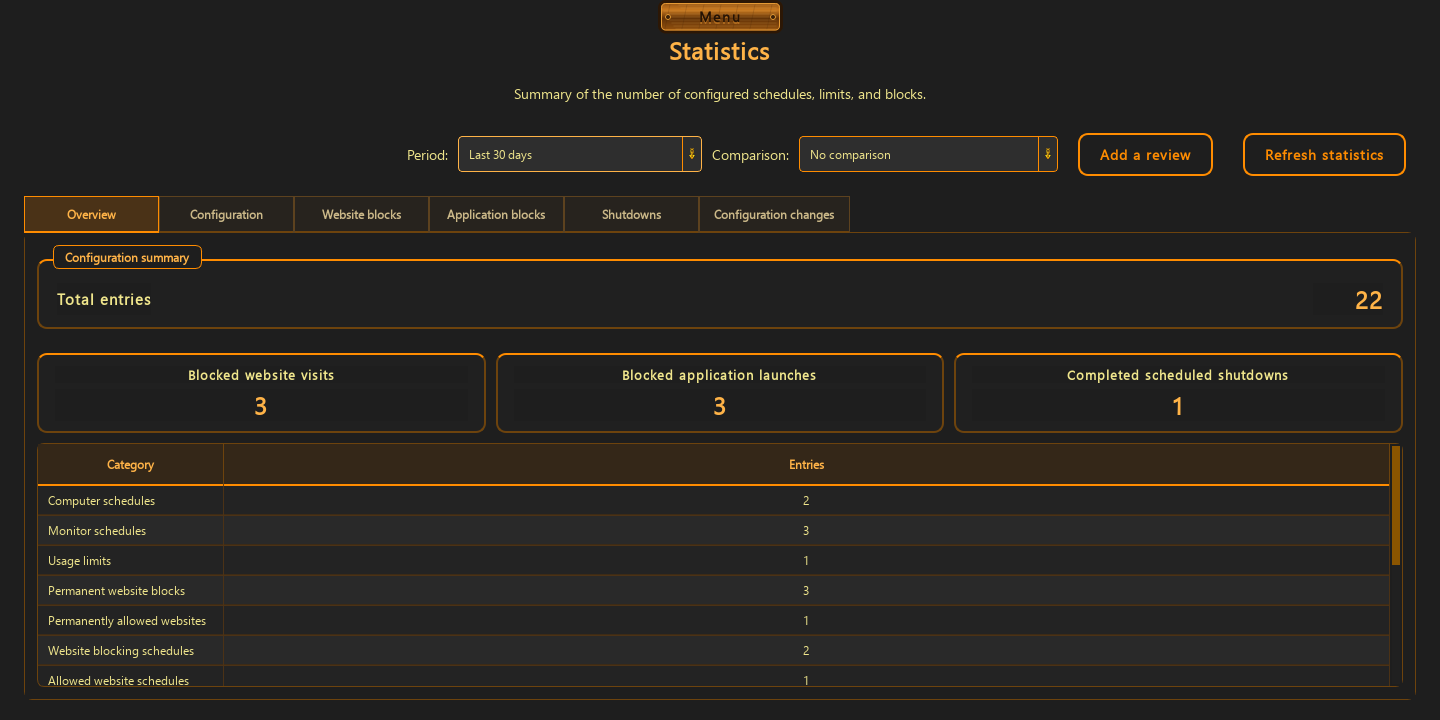
Statistics shows what your rules have done: current configuration, website and application block events, planned power actions, and configuration history.
In one place you can see:
- an overview of configured rule counts
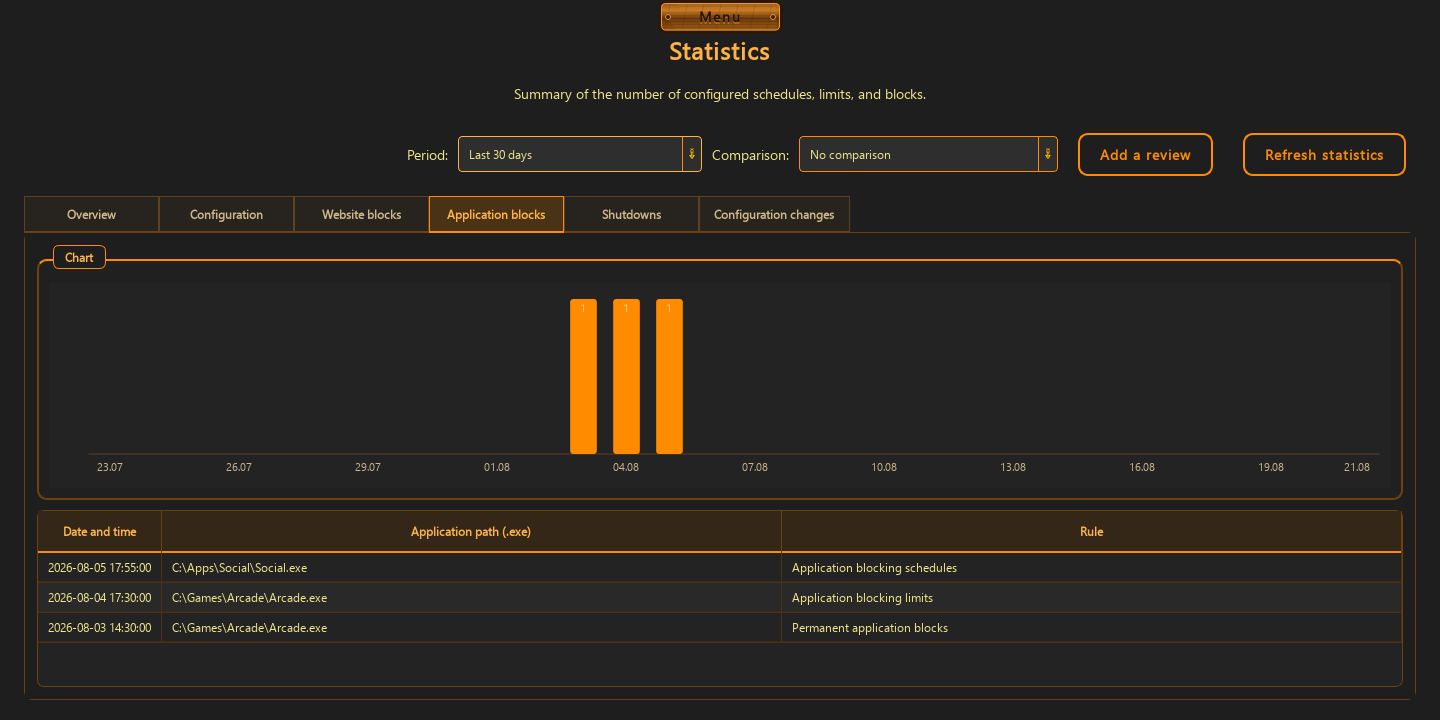
- website blocks and blocked application launches
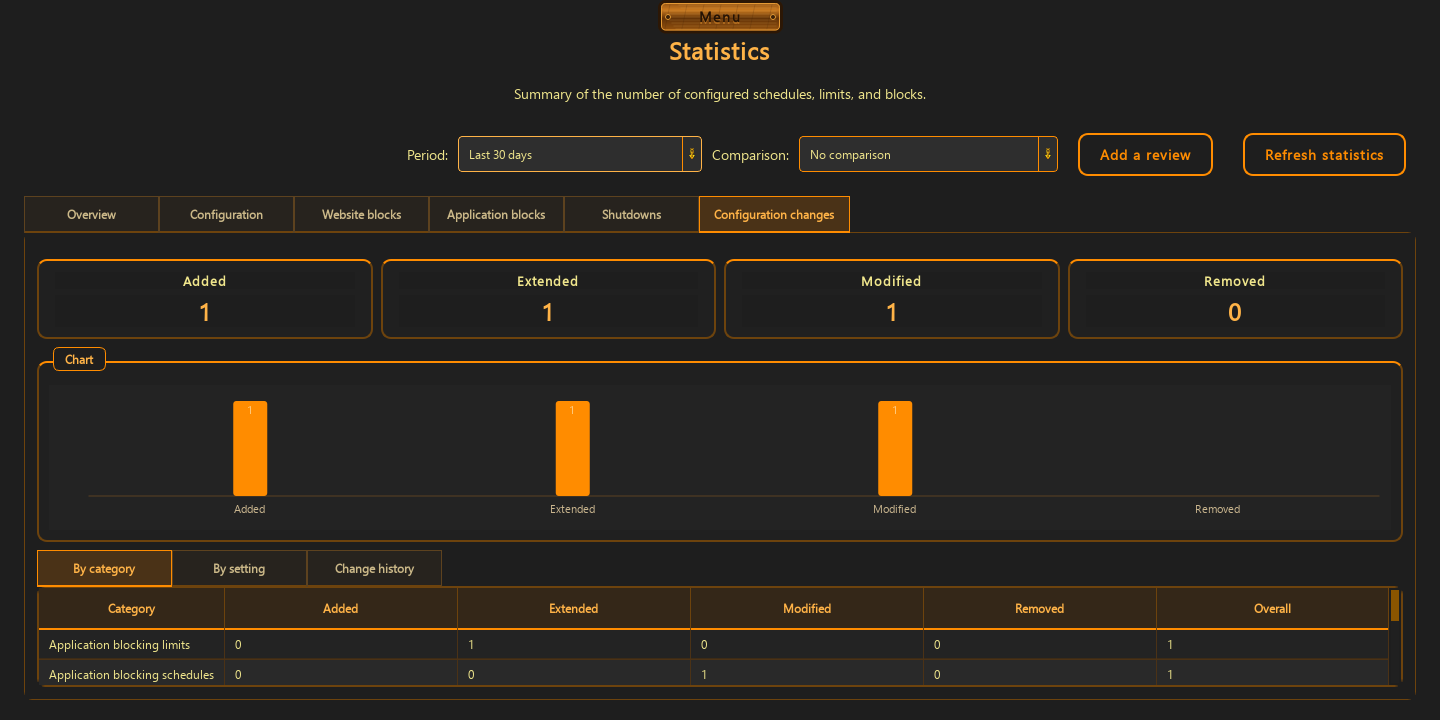
- a history of rules being added, changed, extended, and removed
Statistics describe activity, not the person
The view answers which rule acted, when, and how often. It does not create a productivity score and does not send events to third-party analytics.
- separate tabs organize websites, apps, power, and changes
- an app event identifies the rule that stopped the launch
- a website event records the domain and decision
Change history reveals your own pattern
The list shows when a rule was added, changed, extended, or removed. That lets you see not only what blocks did, but how you adjust them over time.
- the data is stored locally by the app
- activity events are separated from configuration changes
- the goal is feedback, not a ranking or score
Good to know
Questions about the current version.
Yes. There is a dedicated blocked-application events tab.
Yes. It distinguishes additions, changes, extensions, and removals.
Guide · local statistics
See rule activity without turning life into a score.
Local history is there to help you notice your own pattern and improve your own settings.
Back to the homepage