It can apply to a day, week, or month depending on the boundary you want to keep.
Guide · time limits
Time limit on computer use
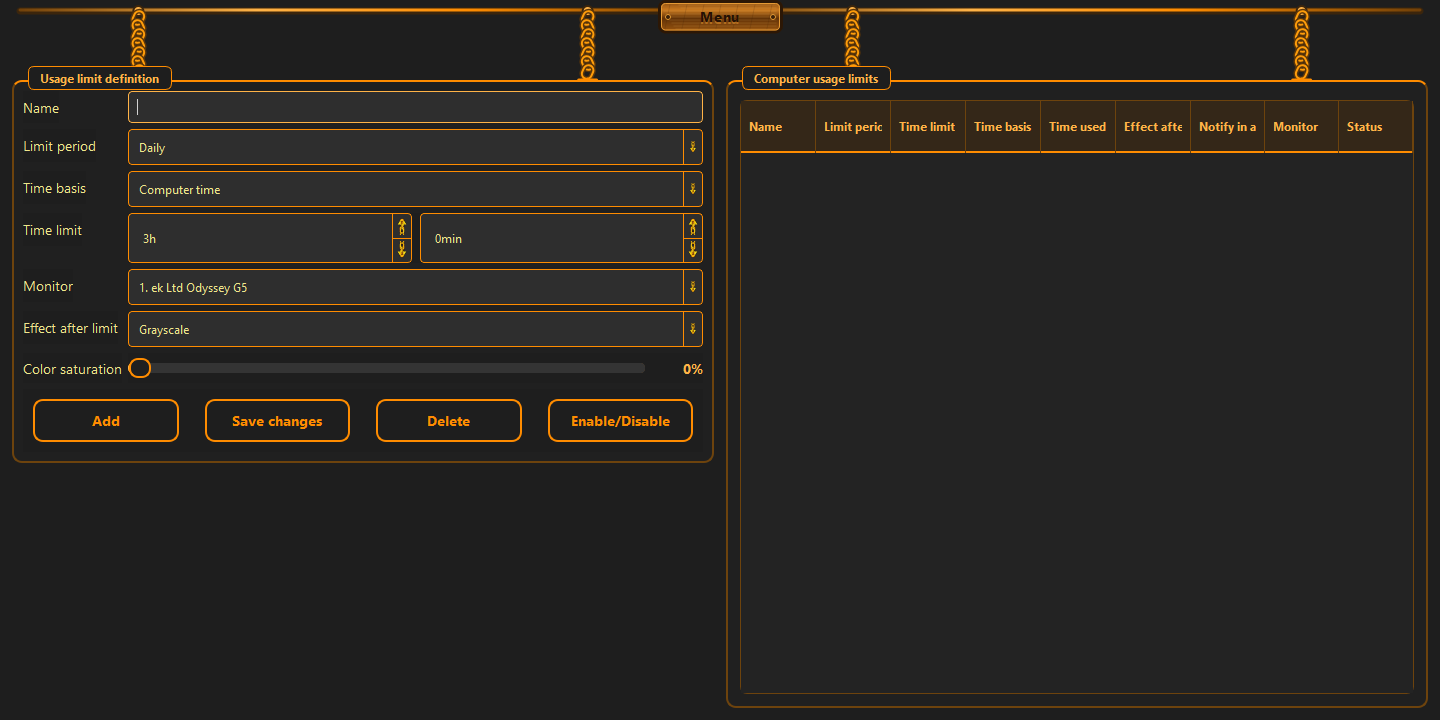
A time limit makes sense when you want to cap open-ended sessions. ChainBreaker counts active time, lets you define the boundary, and reacts when the limit is reached.
This page is useful when you want to:
- limit active time on the computer or in the browser
- set a daily, weekly, or monthly cap
- tie the overage to one concrete consequence
What you count matters
Not every timer works the same way. Counting active computer time gives a different result from a simple stopwatch. For knowledge work and browsing, it matters whether you count the whole machine, only the browser, or both.
- time can be counted for the whole computer
- or only for active browsing
- overlapping time should never be counted twice
How to set a boundary that holds
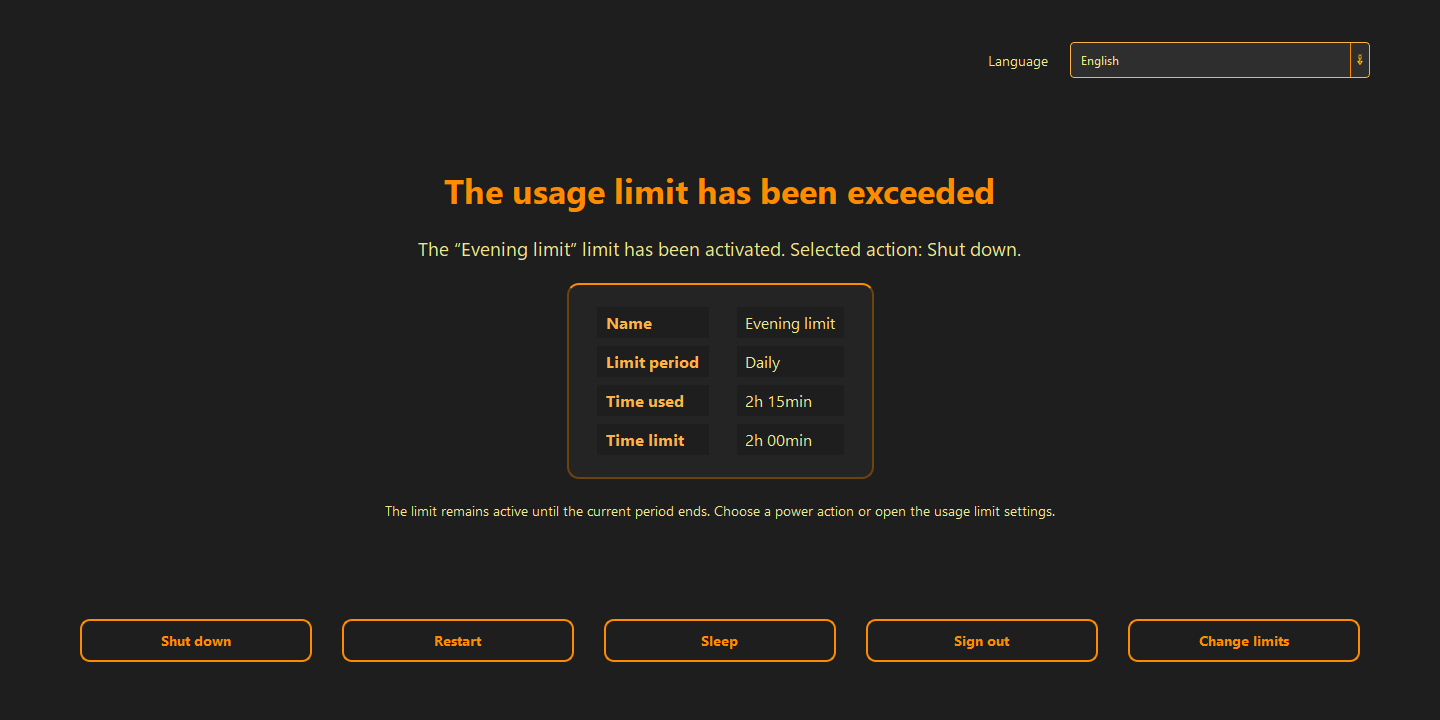
The best limit ends the session before it turns into drift. Give a clear warning before the end, then trigger one predictable consequence: a block, a display change, sleep, or shutdown.
- start with a limit you can actually keep
- add an early warning
- choose one consequence instead of several unclear reactions
When this kind of limit is most honest
Time limits work best for habits that have a natural endpoint: late-night scrolling, long browser sessions, or the accidental slide into endless use. The rule does not need to be dramatic — it only needs to close the door when the boundary is reached.
- it ends the session without negotiation
- it does not need an account or sync
- it stays local to the device
Good to know
Questions about the current version.
Yes. That is useful when you want to separate computer work from time spent online.
You choose the action: restrict Internet access, change display settings, sleep, or shut down. With a power action, the limit remains active after restart.
Guide · time limits
A boundary works better than good intentions.
If the limit should change behavior, it has to be clear, measurable, and visible before the session drifts away.
Back to the homepage