No. Used time remains assigned to the current period.
Guide · limit after restart
What happens after restarting a computer that reached its limit
If a limit is set to sleep or shut down the machine, ChainBreaker warns first. After Windows starts again, the used limit remains active until the current period ends.
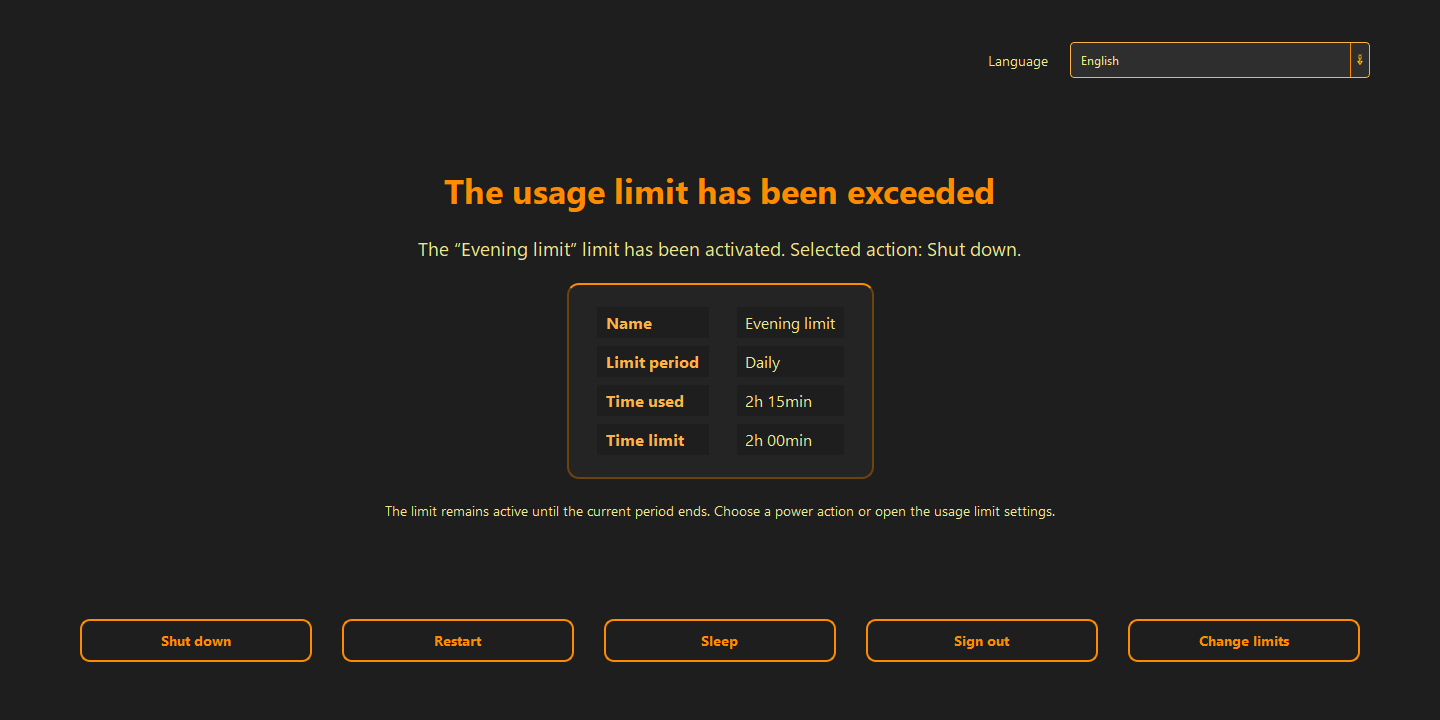
After Windows starts, you see:
- the active limit name and selected action
- used time and the configured boundary
- a full-screen set of power actions and a path to limit settings
Restarting is not a rule bypass
Usage belongs to the current daily, weekly, or monthly period. Shutting down and starting the computer again does not remove that state.
- the limit remains active until the period ends
- the screen shows used time and the configured threshold
- another restart returns to the active limit screen
Actions available on the limit screen
The screen offers explicit actions: shut down, restart, sleep, sign out, or open usage-limit settings. Changing the boundary requires a deliberate visit to settings.
- power actions stay available without hiding the rule outcome
- changing the limit is a separate, visible decision
- the rule does not disappear because Windows restarted
Good to know
Questions about the current version.
Until the current limit period ends or the configuration is deliberately changed.
Yes. Shutdown, restart, sleep, and sign-out actions are available.
Guide · limit after restart
The boundary still holds after restart.
Shutdown ends the session, but it does not erase the usage that reached the limit.
Back to the homepage