Yes. ChainBreaker generates it locally.
Guide · blocked website screen
What you see when you open a blocked website
ChainBreaker does not leave you with an empty browser error. The active tab opens a local 127.0.0.1 page that explains why access was stopped.
This screen tells you:
- which rule actually decided access
- where the block came from and when it ends
- which overlapping rules lost because of lower priority
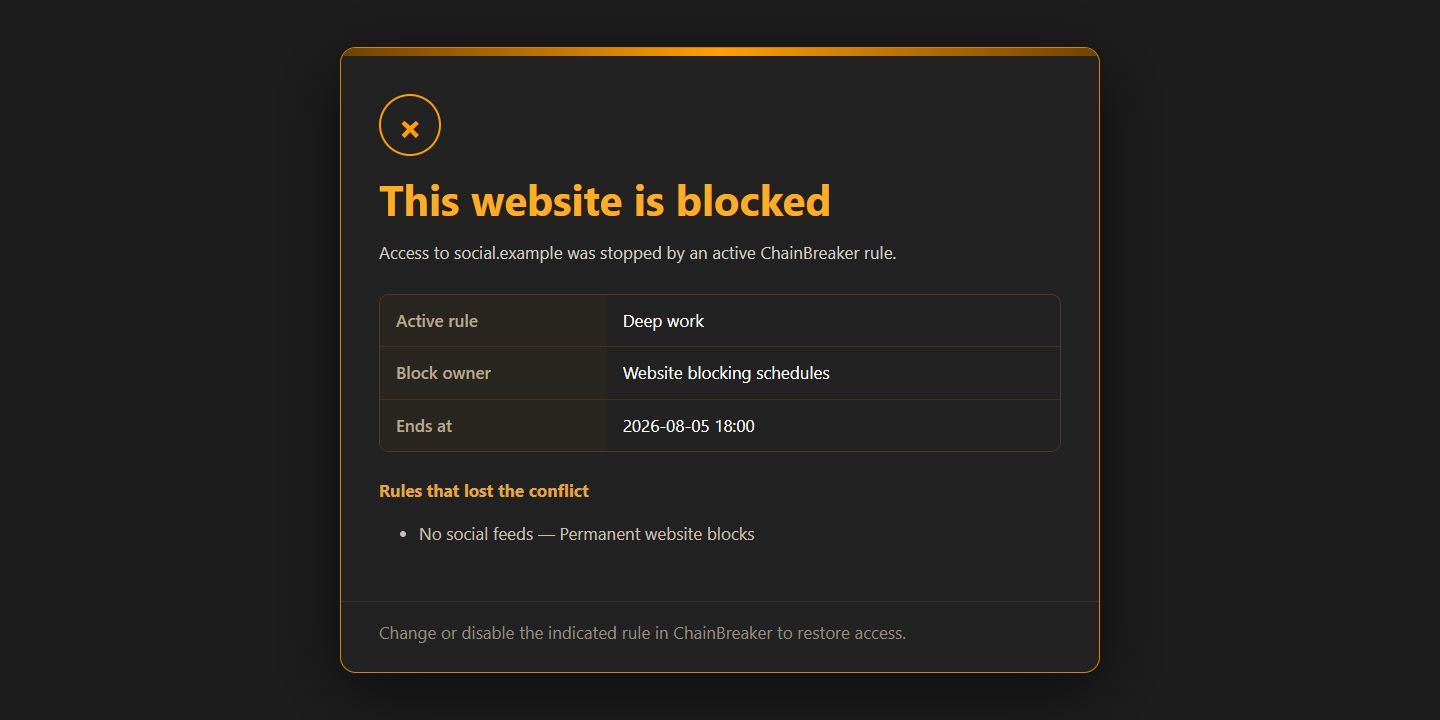
A local explanation instead of a vague error
When a blocked domain is detected, the active tab is sent to a page generated on your computer. It is not an external service and does not upload browsing history.
- the address starts with 127.0.0.1 because it is local
- the affected domain is shown clearly
- restoring access requires changing the indicated app rule
Why one rule wins
A permanent block, schedule, limit, and allow rule can overlap. The page shows the outcome and lower-priority rules so the decision stays predictable.
- the active rule identifies the decision owner
- the end time shows when access can return
- losing rules remain visible in the explanation
Good to know
Questions about the current version.
No. It explains the domain decision without storing page contents or browsing history.
Several rules may be active at once. The page identifies the winner and lower-priority rules.
Guide · blocked website screen
A block should be understandable, not mysterious.
You see both the outcome and the rule that caused it.
Back to the homepage